Building a Personal Expense Tracker with Next.js 15, Prisma, and Offline-First Sync
Notes on building a personal finance app — natural language input, offline-first IndexedDB sync, recurring transactions, and visual regression testing.
I’d been tracking expenses in a spreadsheet for years. It worked until it didn’t — the friction of opening a tab on mobile meant I’d forget purchases and the data was always half-wrong by month’s end. So I built something custom.
What started as a weekend thing turned into a longer exploration than I expected. The natural language input came together fast. The offline sync did not. This is a writeup of how it’s built and what gave me trouble along the way.
What it does
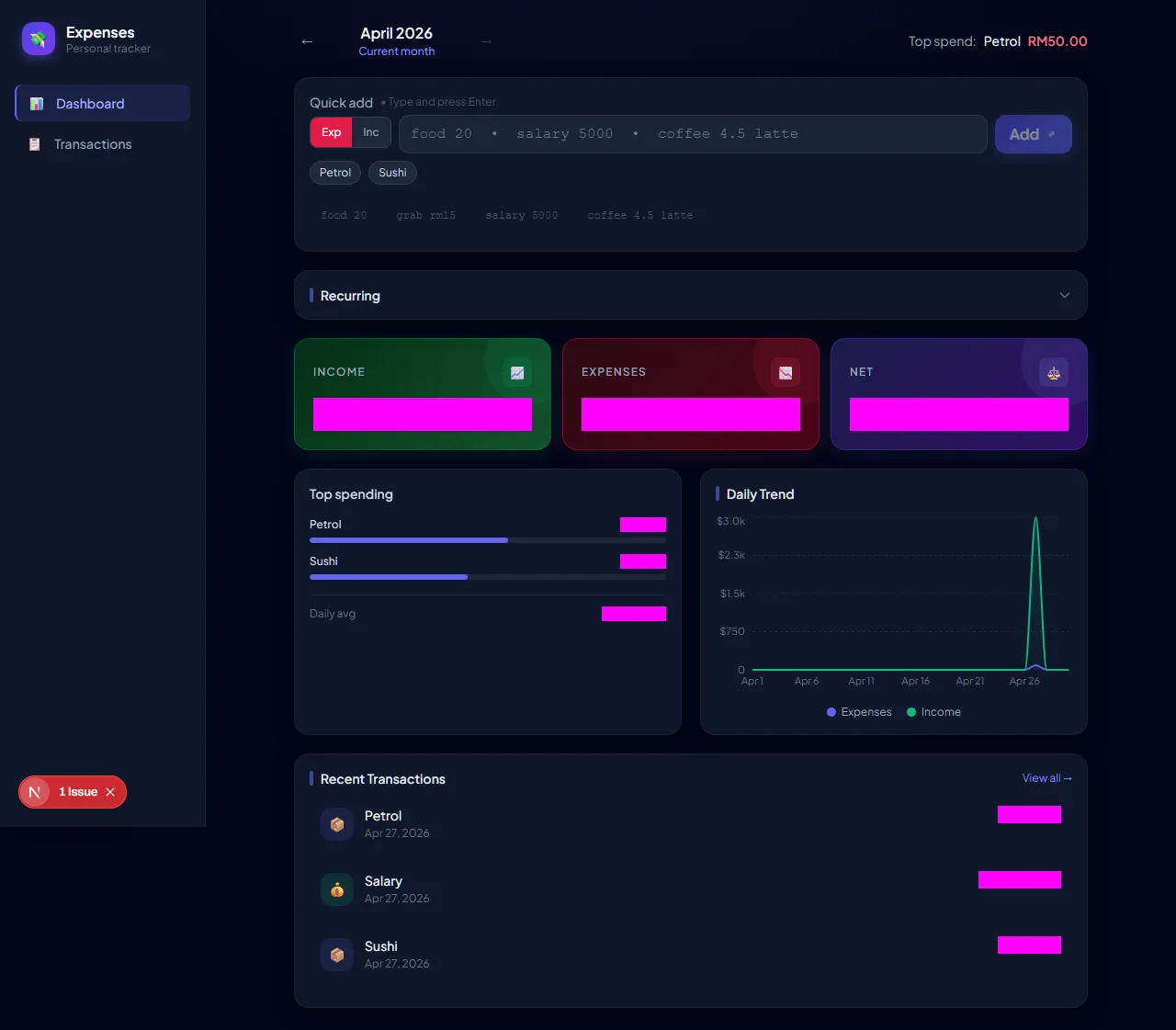 Dashboard — stat cards, daily trend, category breakdown, recent transactions.
The main features I cared about:
- Natural language quick-add — type
coffee 4.50 starbucks #workand it parses category, amount, note, and labels - Offline-first — add transactions with no internet; they sync when back online
- Recurring transactions — rules for monthly rent, weekly subscriptions, etc.
- Analytics — month-over-month comparison, category breakdown, daily trend
- Labels —
#tagsyntax with filtering - PWA — installable on iOS and Android
Stack
Next.js 15 (App Router)    ← framework
React 18                   ← UI
Prisma + PostgreSQL (Neon) ← database
NextAuth v4                ← authentication
Tailwind CSS               ← styling
Recharts                   ← charts
IndexedDB (idb@8)          ← offline storage
Service Worker             ← background sync
Playwright                 ← visual regression tests
I went with Next.js 15 for the App Router’s server component model — fetch on the server, pass as initial props, then let the client manage live state. Prisma because the generated types make refactoring safe. Neon for a serverless Postgres instance that plays well with Vercel’s connection pooling.
Project structure
expense-tracker/
├── app/
│   ├── (auth)/login/
│   ├── (dashboard)/
│   │   ├── dashboard/         # Server component
│   │   └── transactions/      # Client-side, refetches on filter change
│   └── api/
│       ├── auth/[...nextauth]/
│       └── sync/route.ts      # REST endpoint for offline sync
├── components/
│   ├── DashboardContent.tsx   # Central client component
│   ├── ExpenseInput.tsx       # Quick-add input
│   ├── TransactionList.tsx
│   ├── SyncStatusBar.tsx
│   └── recurring/
├── context/
│   └── SyncProvider.tsx       # Online state + sync orchestration
├── lib/
│   ├── actions.ts             # Server actions (DB access)
│   ├── parser.ts              # Natural language → structured data
│   ├── idb.ts                 # IndexedDB wrapper
│   ├── sync.ts                # Offline sync logic
│   └── utils.ts
├── prisma/schema.prisma
├── public/sw.js               # Service worker
└── e2e/                       # Playwright visual tests
Database schema
model Transaction {
  id        String   @id @default(cuid())
  userId    String
  amount    Float    // always positive — direction set by `type`
  category  String
  note      String?
  date      DateTime @default(now())
  type      String   // "income" | "expense"
  labels    String[] @default([])
  createdAt DateTime @default(now())
  updatedAt DateTime @updatedAt

  @@index([userId])
  @@index([userId, date])
}

model RecurringTransaction {
  id        String    @id @default(cuid())
  userId    String
  name      String
  category  String
  amount    Float
  type      String    // "income" | "expense"
  frequency String    // "daily" | "weekly" | "monthly" | "yearly"
  startDate DateTime
  endDate   DateTime?
  lastRun   DateTime?
  isActive  Boolean   @default(true)
}

model Category {
  id        String   @id @default(cuid())
  userId    String
  name      String
  icon      String   @default("📦")
  color     String   @default("#6366f1")
  isDefault Boolean  @default(false)

  @@unique([userId, name])
}
A few decisions worth noting:
amountis always positive. Direction comes fromtype. MakesSUMqueries for income vs expense clean and removes any ambiguity about sign conventions.labelsas a Postgres array.String[]on PostgreSQL with Prisma avoids a join table for what’s essentially a simple tagging feature. Filtering is{ labels: { has: label } }.- Compound index on
[userId, date]. Almost every query filters by user and sorts by date.
Data flow
The architecture uses server components for the initial fetch, then hands off to a client component for mutations and live state.
┌─────────────────────────────────────────────────────────────────────┐
│                     Request: /dashboard?month=2026-04               │
└─────────────────────────────────────┬───────────────────────────────┘
                                      │
                          ┌───────────▼───────────┐
                          │  dashboard/page.tsx    │
                          │  (Server Component)    │
                          │                        │
                          │  getDashboardData()    │
                          │  getRecurringTx()      │
                          │  ← both in parallel    │
                          └───────────┬───────────┘
                                      │ passes initial* props
                          ┌───────────▼───────────┐
                          │  DashboardContent.tsx  │
                          │  (Client Component)    │
                          │                        │
                          │  useState(initialData) │
                          │  handles add/edit/del  │
                          │  optimistic updates    │
                          └───────────────────────┘
After a mutation, DashboardContent updates all affected state locally — transactions, totals, category breakdown — so the UI reflects the change immediately. No router.refresh() call on every add.
// app/(dashboard)/dashboard/page.tsx
export default async function DashboardPage({ searchParams }) {
  const { month } = await searchParams;
  const [dashboardData, recurring] = await Promise.all([
    getDashboardData(month),
    getRecurringTransactions(),
  ]);

  return (
    <DashboardContent
      initialTransactions={dashboardData.transactions}
      initialIncome={dashboardData.totalIncome}
      initialExpenses={dashboardData.totalExpenses}
      initialRecurring={recurring}
      // ... more props
    />
  );
}
Natural language input
The part I’m most happy with. Instead of a form, there’s a single text input:
coffee 4.50 starbucks
salary 5000 #work
grab rm15 #transport
food 20 #date #house
The parser in lib/parser.ts is about 100 lines. No ML, no regex soup — just token manipulation:
export function parseExpenseInput(input: string): ParsedExpense | null {
  const tokens = input.trim().split(/\s+/);

  // Find the first token that looks like a number
  let amountIndex = -1;
  let amount = 0;
  for (let i = 0; i < tokens.length; i++) {
    const val = extractNumericValue(tokens[i]); // strips "rm", "$", etc.
    if (val !== null) {
      amount = val;
      amountIndex = i;
      break;
    }
  }

  // Everything before the number = category
  // Everything after = note tokens and #labels
  const categoryTokens = tokens.slice(0, amountIndex);
  const afterAmount = tokens.slice(amountIndex + 1);

  const labels: string[] = [];
  const noteTokens: string[] = [];
  for (const tok of afterAmount) {
    if (tok.startsWith("#") && tok.length > 1) {
      labels.push(tok.slice(1).toLowerCase());
    } else {
      noteTokens.push(tok);
    }
  }

  // Infer income vs expense from first word
  const firstWord = (categoryTokens[0] ?? "").toLowerCase();
  const type = INCOME_KEYWORDS.has(firstWord) ? "income" : "expense";

  return {
    category: categoryTokens.join(" "),
    amount,
    type,
    note: noteTokens.join(" ") || undefined,
    labels,
  };
}
INCOME_KEYWORDS covers things like salary, freelance, dividend, cashback, refund. There’s also an Exp / Inc toggle for when the parser guesses wrong.
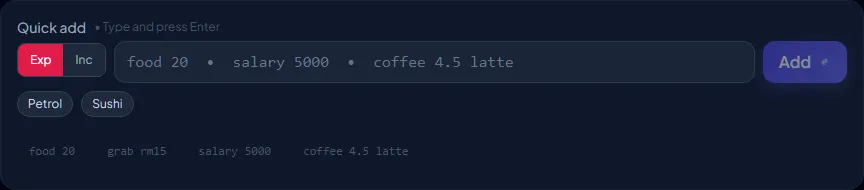 Live parse preview as you type.
Offline-first
This took longer than anything else. I wanted it to work on the train, in basements, in areas with flaky connectivity. The solution ended up being three layers.
IndexedDB
lib/idb.ts wraps IndexedDB with two stores:
interface LocalTransaction {
  id: string;           // "cuid..." when synced, "pending_..." when offline
  userId: string;
  category: string;
  amount: number;
  type: "income" | "expense";
  labels: string[];
  date: string;
  syncStatus: "synced" | "pending" | "pending-update" | "pending-delete";
  syncError?: string;
}

interface QueuedOp {
  queueId: number;      // autoIncrement — preserves causal order
  op: "add" | "update" | "delete";
  tempId: string;
  payload: Record<string, unknown>;
  createdAt: string;
}
Every transaction is mirrored locally. When added offline, it gets a pending_${timestamp}_${random} temp ID and syncStatus: "pending".
The sync queue
lib/sync.ts has two main functions.
applyLocalMutation(op, data) — writes to IDB and enqueues an operation:
async function applyLocalMutation(op, data) {
  if (op === "add") {
    const tempId = `pending_${Date.now()}_${Math.random().toString(36).slice(2)}`;
    await putTransaction({ ...data, id: tempId, syncStatus: "pending" });
    await enqueueOp({ op: "add", tempId, payload: data });
    return { committed: localTx, wasQueued: true };
  }

  if (op === "update") {
    // If the record is still "pending" (never synced), update the ADD op in-place
    // rather than queueing a separate UPDATE — avoids orphaned operations
    const existing = await getTransactionFromIDB(data.id);
    if (existing.syncStatus === "pending") {
      await updateQueuedOp({ ...addOp, payload: { ...addOp.payload, ...data } });
    } else {
      await enqueueOp({ op: "update", tempId: data.id, payload: data });
    }
  }
}
The update case took some thought: if a transaction was added offline and then edited offline, queueing ADD + UPDATE would cause a server error when the UPDATE runs before the ADD is confirmed. Mutating the ADD payload in-place avoids that.
drainQueue() — processes ops in insertion order, stops on first failure:
async function drainQueue() {
  const ops = await getOps(); // ordered by queueId (autoIncrement)
  const tempIdMap = new Map(); // tracks ADD result IDs within this drain run

  for (const op of ops) {
    const resolvedId = tempIdMap.get(op.tempId) ?? op.tempId;
    try {
      if (op.op === "add") {
        const res = await fetch("/api/sync", { method: "POST", body: JSON.stringify({ op: "add", payload: op.payload }) });
        const { id: realId } = await res.json();
        tempIdMap.set(op.tempId, realId);
        await replaceTempId(op.tempId, realId); // atomic IDB transaction
      }
      // ... update, delete handlers
      await deleteQueuedOp(op.queueId);
    } catch {
      break; // stop — next op might depend on this one
    }
  }
}
replaceTempId is an atomic IDB transaction that replaces the temp ID in the transactions store and also updates any following queue entries referencing the old temp ID — prevents a stale ID being used in a later UPDATE.
The full offline flow
User adds "food 20" with no network
         │
         ▼
  ExpenseInput checks isOnline === false
         │
         ▼
  applyLocalMutation("add", {...})
         │
         ├──► IDB transactions: { id: "pending_1234", syncStatus: "pending" }
         │
         └──► IDB syncQueue:    { queueId: 1, op: "add", tempId: "pending_1234" }
         │
         ▼
  Transaction appears with amber "Pending" badge

         [... page reload, still offline ...]

  DashboardContent mounts → reads IDB → pending item still visible ✓

         [... network reconnects ...]

  SyncProvider: isOnline = true → syncNow()
         │
         ▼
  drainQueue() → POST /api/sync { op: "add" }
         │
         ▼
  Server returns { success: true, id: "clxyz..." }
         │
         ▼
  replaceTempId("pending_1234", "clxyz...")  ← atomic IDB update
         │
         ▼
  router.refresh() → "Pending" badge disappears ✓
Service worker + BackgroundSync
For the case where the tab is closed mid-sync:
// public/sw.js (simplified)
self.addEventListener("sync", (event) => {
  if (event.tag === "expense-sync") {
    event.waitUntil(drainQueueFromSW());
  }
});

async function drainQueueFromSW() {
  const db = await openDB("expense-tracker", 1);
  const ops = await db.getAll("syncQueue");
  for (const op of ops) {
    await fetch("/api/sync", {
      method: "POST",
      body: JSON.stringify(op),
      credentials: "same-origin",
    });
  }
}
SyncProvider registers the "expense-sync" BackgroundSync tag whenever pendingCount > 0. The browser fires the sync event once connectivity returns, even if the tab is already closed.
Recurring transactions
Rent, subscriptions, salaries — things that happen on a fixed schedule. The RecurringTransaction model stores rules; status is computed at runtime:
function getNextDueDate(frequency, startDate, lastRun): Date {
  const base = lastRun ?? startDate;
  switch (frequency) {
    case "daily":   return addDays(base, 1);
    case "weekly":  return addWeeks(base, 1);
    case "monthly": return addMonths(base, 1);
    case "yearly":  return addYears(base, 1);
  }
}

function getRecurringStatus(nextDue, endDate): "upcoming" | "due" | "overdue" | "ended" {
  if (endDate && isPast(endDate)) return "ended";
  if (isPast(nextDue)) return "overdue";
  if (isToday(nextDue) || differenceInDays(nextDue, new Date()) <= 2) return "due";
  return "upcoming";
}
The recurring section auto-expands on the dashboard when there are due or overdue items:

Posting is a db.$transaction([...]) — creates the Transaction record and updates lastRun atomically.
Transactions page
Unlike the dashboard (server-rendered on mount), the transactions page needs to refetch whenever filters change, so it uses useEffect + server actions.
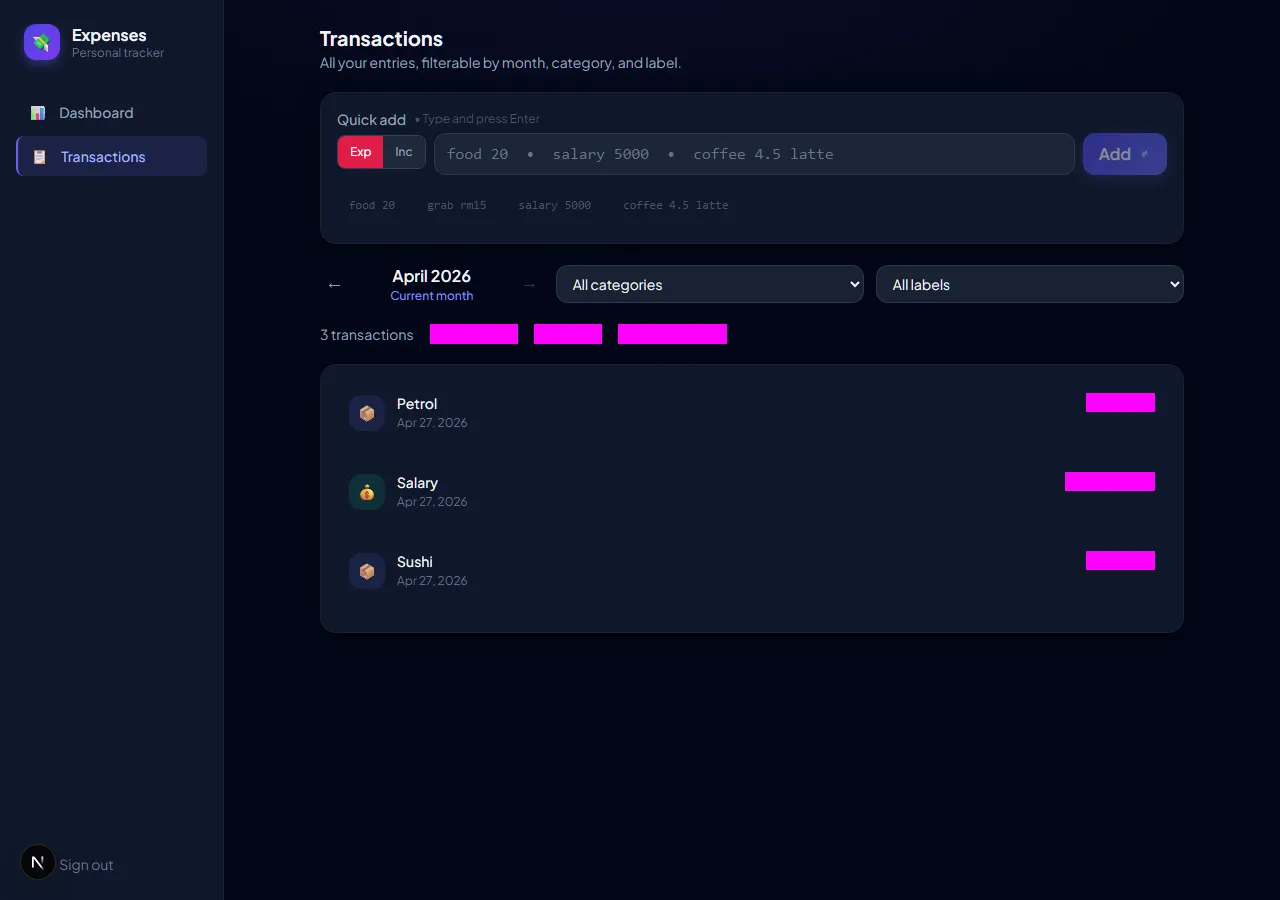
Filters: month, category, label, type (income/expense).

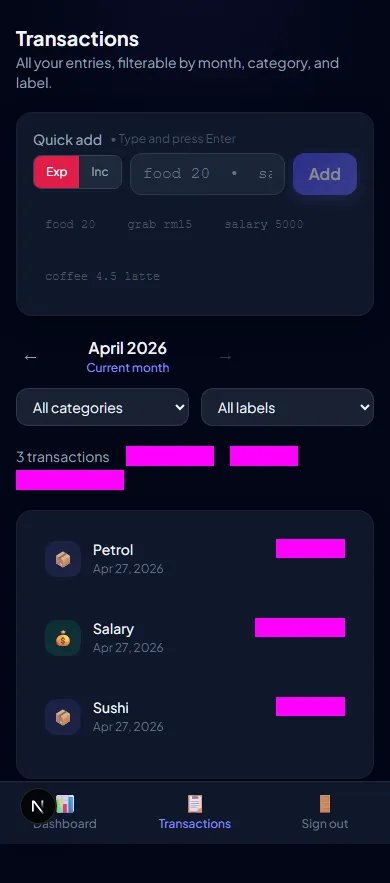
Stat cards with MoM deltas

The server fetches current and previous month in parallel:
async function getDashboardData(month?: string) {
  const [start, end] = getMonthRange(month);
  const [prevStart, prevEnd] = getMonthRange(prevMonth(month));

  const [transactions, prevTransactions] = await Promise.all([
    db.transaction.findMany({ where: { userId, date: { gte: start, lte: end } } }),
    db.transaction.findMany({ where: { userId, date: { gte: prevStart, lte: prevEnd } } }),
  ]);

  return {
    transactions,
    totalIncome: sum(transactions, "income"),
    totalExpenses: sum(transactions, "expense"),
    prevIncome: sum(prevTransactions, "income"),
    prevExpenses: sum(prevTransactions, "expense"),
  };
}
Labels
Added with #tag syntax inline. Color is deterministic from the string:
export function stringToColor(str: string): string {
  let hash = 0;
  for (let i = 0; i < str.length; i++) {
    hash = str.charCodeAt(i) + ((hash << 5) - hash);
  }
  const hue = Math.abs(hash) % 360;
  return `hsl(${hue}, 60%, 45%)`;
}
Same label always gets the same color across the app.
Auth
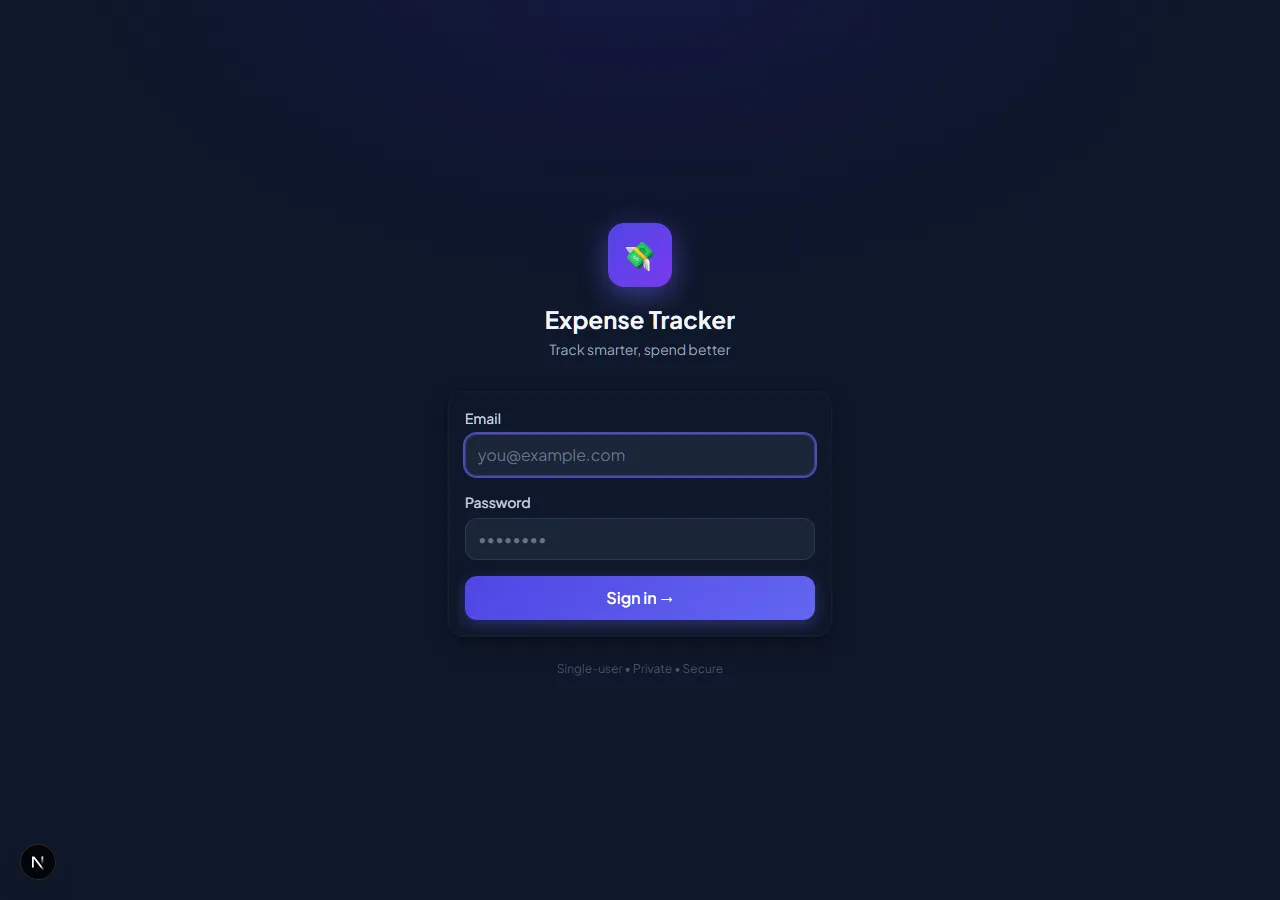
Credentials provider with bcrypt. No OAuth — this is a private single-user app.
export const authOptions: NextAuthOptions = {
  providers: [
    CredentialsProvider({
      credentials: { email: {}, password: {} },
      async authorize(credentials) {
        const user = await db.user.findUnique({ where: { email: credentials.email } });
        if (!user) return null;
        const valid = await bcrypt.compare(credentials.password, user.passwordHash);
        return valid ? user : null;
      },
    }),
  ],
  session: { strategy: "jwt" },
};
Every server action calls getAuthenticatedUserId() which throws if the session is missing.
Visual regression tests
I’ve caught three unintended layout regressions with these. Worth the setup time.
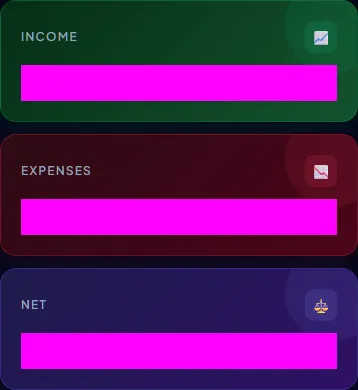
Playwright tests cover three viewports: mobile (390px), tablet (768px), desktop (1280px).
// e2e/dashboard.spec.ts
test("stat cards", async ({ page }) => {
  await page.goto("/dashboard");
  await waitForReady(page);

  const cards = page.locator('[data-testid="stat-cards"]');
  await amountMasks(page); // mask currency values so amounts don't break snapshots
  await expect(cards).toHaveScreenshot("stat-cards.png");
});
The amountMasks helper overlays a gray box on all .tabular-nums elements so actual amounts never cause snapshot mismatches between runs.
Snapshots are committed to git. CI catches regressions on every PR.
Responsive layout
| Viewport | Navigation |
|---|---|
| Desktop (1280px+) | Fixed sidebar |
| Tablet (768px) | Top nav bar |
| Mobile (390px) | Bottom tab bar |
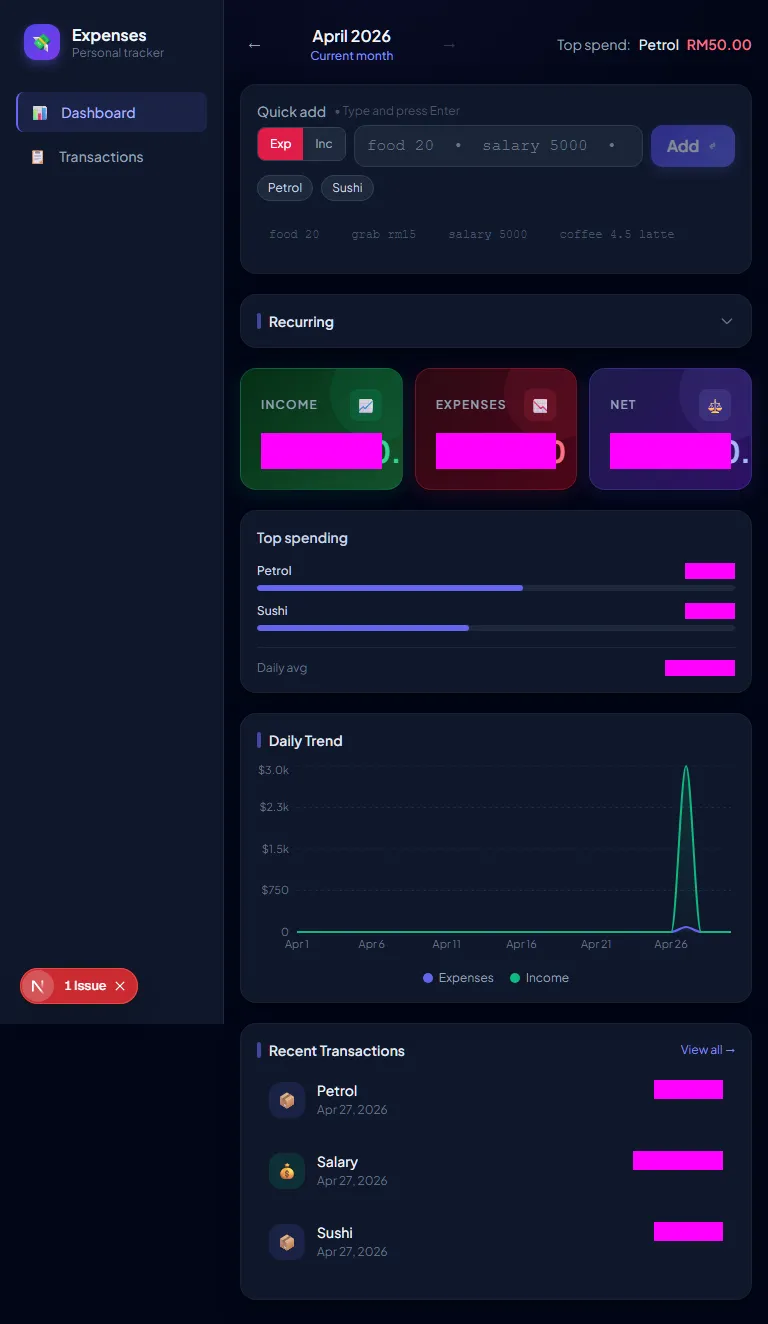
On mobile, a floating + button opens a bottom sheet instead of the inline quick-add input.
Deployment
Vercel + Neon:
POSTGRES_PRISMA_URL=postgresql://...?pgbouncer=true  # pooled
POSTGRES_URL_NON_POOLING=postgresql://...            # for migrations
NEXTAUTH_SECRET=...
NEXTAUTH_URL=https://your-domain.vercel.app
ADMIN_EMAIL=...
Build command: prisma generate && next build — ensures the Prisma client is always in sync with the schema.
Reflections
The offline sync was the hardest part. I started with localStorage, then realized I needed ordering guarantees, then atomic ID replacement, then BackgroundSync for closed-tab syncing. Each piece is simple in isolation; they compose into something genuinely complex. I kept each layer’s responsibility narrow and it stayed manageable.
The optimistic update state management was also more involved than I expected. When adding a transaction you need to update six slices simultaneously: the list, total income, total expenses, net balance, category breakdown, and pending count. Routing all mutations through a single handleAdd function in DashboardContent was the only thing that kept it sane.
One React 18 gotcha: startTransition(async fn) doesn’t work. Async functions inside startTransition aren’t tracked as transitions. I spent an afternoon debugging this before swapping to a plain useState loading flag. React 19 apparently fixes it.
The natural language parser ended up being simpler than I thought it’d be. Finding the first numeric token and splitting around it handles the 95% case cleanly. The income keyword set (salary, freelance, dividend, refund, etc.) covers the edge cases that would otherwise need a type toggle.
The app actually gets used daily, which is more than I can say for the spreadsheet.